---
title: "Horse Status (sold, dead, for sale, purchased, linked to mare, weaned, etc)"
url: "https://documentation.crioonline.com/es/article/horse-status-sold-dead-for-sale-purchased-linked-to-mare-weaned-etc"
language: "es"
last_updated: "2024-06-09T21:17:22.273Z"
---
# Horse Status (sold, dead, for sale, purchased, linked to mare, weaned, etc)
On the profile page you can see the section to view or manage the HORSE STATUS.
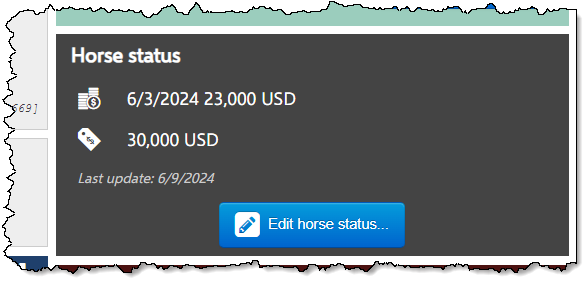
When you edit the horse status you are able to set the following statuses:
| **Dead** | - Yes / No
- Date |
| --- | --- |
| **Sold** | - Yes / No
- Date
- Price
- Comments |
| **For sale** | - Yes / No
- Price |
| **Purchased** | - Yes / No
- Date
- Price |
| **For Adoption** | Yes / No |
| **Weaned** | - Yes / No
- Date
- Comments |
| **Linked to mare** | - Yes / No
- Select the mare the foal is linked to
This makes changing paddocks easy, as the foal accompanies the mare. |
| **Gelding / Stallion** | Only for male horses |
| **Is Recipient** | - Yes / No
- Only for mares |
When a horse is marked as DEAD or SOLD, it is automatically set to REFERENCE (the default behaviour, but can be changed in the Preference module).
### **Update status of a group of horses**
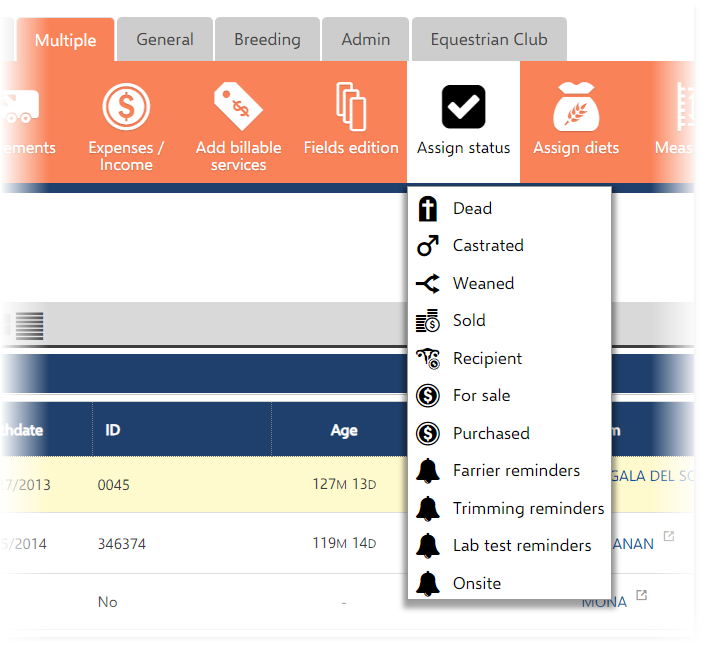
If you select multiple horses in My Horses, you can change the status using the Multiple menu: